


Fazier badge

Type 4× faster.
In every app you already use.

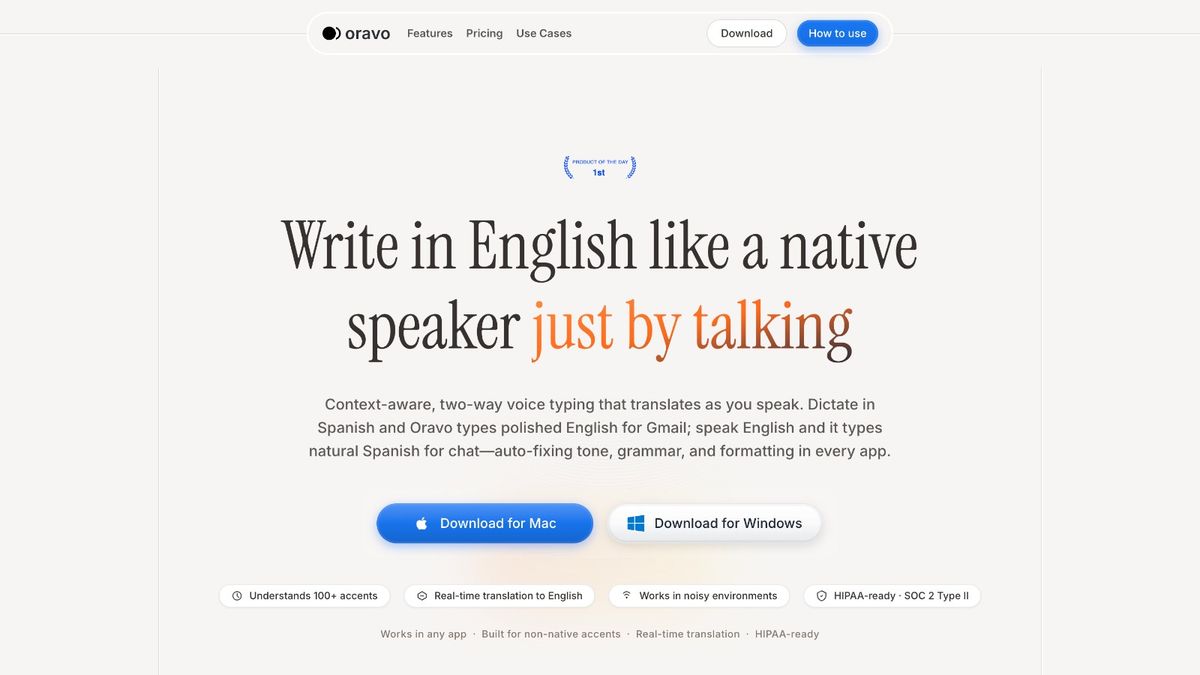
Press a hotkey, speak naturally, and Oravo writes polished text — 99% accuracy, sub-300ms latency, in every app you already use.

14-day Pro trial starts on install · No credit card

Get it on Google PlayDownload on the App Store

iOS app coming soon

99% accuracy · Sub-300ms latency · Works in 50+ apps · HIPAA-ready · SOC 2 Type II

Why typing is the bottleneck

You think at 220 wpm. You type at 45.

Every email, every Slack reply, every doc — you're translating thoughts to keystrokes all day. Oravo closes the gap. Press your hotkey, speak, and get finished text where your cursor is.

Keyboard

Keyboard

45

wpm

Typing everything out, fixing mistakes, formatting manually.

Kevin Pietersen

Typing...0%
A
B
C
D
E

Oravo

220

wpm

Press your hotkey. Oravo writes polished text in your style — fast.

Kevin Pietersen

Dictating...0%
Real-time translation

Speak Your Language.
Get Perfect English.

Speak in Spanish, get text in English & vice versa. Write emails in any language without learning it. Think naturally, Oravo handles the rest.

Speaking🇪🇸

Spanish

Email
You speak (Spanish):

“Dile a María que terminé el diseño y lo envío en una hora.”

Oravo types (English, email-ready):

“Hi María — I've finished the design. I'll send it over within the next hour.”

Chat
You speak (English):

“Tell them I'm running 10 minutes late.”

Oravo types (Spanish, chat tone):

“Voy 10 minutos tarde.”

Speak once. Get finished text.

Oravo doesn't just transcribe. It removes filler words, fixes grammar, adds punctuation, and matches the tone of whatever app you're writing in — automatically.

Same thought, different apps.

Oravo knows when you're in Slack vs. Gmail vs. Notion, and adjusts tone and formatting to match. Casual in chat. Professional in email. Structured in docs.

No more "um, like, you know."

Oravo removes filler words, fixes false starts, and turns rambling thoughts into clean sentences — so what comes out sounds intentional, not dictated.

Punctuation, paragraphs, capitalization.

Bullet lists when you say "three things." Line breaks when you pause. Code blocks in technical contexts. You never touch the keyboard to fix formatting.

Platform Features

Press. Speak. Done.

Press your hotkey in any app. Speak naturally. Oravo types the right language with the right tone—instantly.

Works with
+50
1. Press your hotkey in any app
One shortcut activates Oravo wherever your cursor is—Gmail, Slack, Notion, Google Docs, or any text field.
2. Speak naturally
Dictate in fluent English or switch languages when you need to—Oravo understands technical terms, names from your contacts, and code-switching.
3. Oravo types with the right tone
The right language, the right format, instantly where your cursor is. Casual in Slack, professional in email, technical in Notion.
FnorCtrl+Win
to start dictating
Listening...
Voice Input

hey sarah can we meet tom

Auto-formatting
Formatted Output

Hey Sarah,

Can we meet tomorrow at 3 PM to discuss the project budget?

Don't forget to bring the reports.

Best,

AaCapitalization
.,?Punctuation
Paragraphs
Listening...
Your Writing Style
You said:

"tell mike about the meeting"

Professional style applied
Hi Mike, I wanted to follow up regarding our upcoming meeting. Please let me know your availability. Best regards,
AI learns your preferences over time
Listening...
Context-Aware
You said:

"send the report to dr patel"

👤
Context detected

From your contacts

Correctly spelled

Send the report to Dr. Patel

Names
Medical
Legal
Technical
Feature Highlights

Built for the way you actually work.

Context-aware AI

Understands technical jargon, proper nouns from your contacts, and what you're working on. Works in noisy environments. 99% accuracy on everyday speech.

Auto-format as you speak

Punctuation, paragraphs, capitalization, and lists — added automatically. Just speak, no voice commands needed.

Matches your style

Oravo learns your tone over time. Short and direct in Slack. Warm and full in email. Your voice, your style, every time.

You say

"tell them I'll be late"

Email

I'll be arriving shortly after the scheduled time.

Slack

Running a few mins late!

Works in 50+ apps

Gmail, Slack, Notion, Google Docs, Word, Linear, Jira, Figma, VSCode, LinkedIn — anywhere your cursor blinks, Oravo types.

GitHub
Slack
Figma
Discord
Notion
Stripe
Framer

Made for people who write for a living.

Whether you're shipping code, closing deals, or drafting proposals — typing is slowing you down. Oravo speeds up the part of your job nobody teaches you to optimize.

Used by professionals at

Used by professionals at

Trusted by founders, writers, developers, and teamswho work in English every day.
Disney
MIU
CareDx
OSU
uco
Disney
MIU
CareDx
OSU
uco
Salesforce
globant
ntt
uco
Meta
Salesforce
globant
ntt
uco
Meta
[Name]
I write 40+ emails a day. Oravo cut that time in half. The accuracy is shockingly good — I rarely need to fix anything.
[Name]
[Role] at [Company]
Plans & Pricing

Start free. Upgrade when you're ready.

Try Oravo free. Go Pro for unlimited voice typing,
faster processing, and custom vocabulary.
Starter
Free forever — No credit card required
Free
30 minutes/month forever
Instant dictation & smart formatting
Works anywhere (Slack, Gmail, Notion, etc.)
Custom vocabulary support
Context-aware suggestions
Basic punctuation commands
Voice-activated editing
Multi-language support
Secure cloud sync
Download Free

No credit card · Free forever

★ 14-DAY FREE TRIAL
Professional
Everything in Starter, plus unlimited
$9.99
per month
Unlimited words
Advanced voice commands & custom macros
Offline dictation mode
Smart memory of your writing style
Priority customer support
Early access to new features
Export & backup options
Full personalization across apps
Start free trial

Download the app · Trial starts automatically · No credit card

Enterprise
Everything in Professional, plus team features (Minimum 3 users)
$8.99
per user/month
Centralized billing
Administrative controls
Team-wide personalization
Dedicated account manager
Priority onboarding and support
Custom integrations & API access
Advanced analytics & reporting
SSO & security compliance
Volume discounts available
Contact Sales

Why switch from Wispr Flow?

Same accuracy. Better coverage. A third of the price.

Same accuracy, 1/3 the price

99% accuracy, sub-300ms latency. Wispr charges $15/month for the same speed. Oravo is $9.99 — or $99/year.

Real translation, not just dictation

Speak in 60+ languages — Spanish, Hindi, Mandarin, Arabic — and get polished English where your cursor is. Two-way, in real time.

Custom vocabulary on free tier

Add proper nouns, technical terms, and client names — even on the free plan. Wispr locks this behind Pro.

Frequently Asked Questions

Everything you need to know about Oravo,
accents, translation, and privacy.
Yes. Oravo is trained on 100+ accents from every continent. If you can speak English (even with a strong accent), Oravo understands you. And if English is hard, just speak your native language—Oravo translates in real time.
Absolutely. Speak Spanish, Hindi, Mandarin, Arabic, French, Portuguese, Russian, German, Japanese, Korean, or 20+ other languages—Oravo translates to fluent, context-aware English instantly.
vs Wispr Flow: Similar accuracy and speed at roughly one-third the price, with Mac, Windows, and Android support and custom vocabulary on the free tier. vs Dragon: About 10× cheaper, cross-platform (Mac + Windows), no training required, with app-aware tone and smart formatting. vs Otter.ai: Works in every app where you type (not just meetings), with sub-300ms latency and a full desktop voice keyboard.
Everywhere you can type: Gmail, Slack, Notion, Google Docs, Microsoft Word, Figma, VSCode, Jira, LinkedIn, WhatsApp, Teams, Salesforce—literally any text field.
Oravo reads which app you're using and adjusts tone, format, and structure automatically. The same sentence becomes casual in Slack, professional in Gmail, and technical in Notion—without you doing anything.
Yes. We're SOC 2 Type II and HIPAA-ready. Your voice data is encrypted, never stored permanently, and not used for AI training without explicit consent. Free plan has zero data retention.
Yes. Free plan includes 30 minutes/month forever. Pro plan has 14-day free trial—no credit card required.
Oravo handles code-switching naturally. Speak "I need to email the cliente about the meeting"—Oravo understands and formats correctly.

Still Not Sure That Oravo Is Right for You?

Let ChatGPT, Claude, or Perplexity do the thinking for you. Click a button and see what your favorite AI says about Oravo.

Stop typing. Start talking.

14-day free trial. No credit card. Install in 30 seconds.
Install the app — your 14-day Pro trial starts automatically.
Get it on Google PlayDownload on the App Store

iOS app coming soon